Editing SQL Server data no longer means jumping between tools or writing repetitive T-SQL scripts. The new Edit Data feature, now in public preview within the MSSQL extension for Visual Studio Code, transforms how you interact with your databases. Its interactive, spreadsheet-style interface brings direct data manipulation right into your coding environment, saving time and boosting productivity.
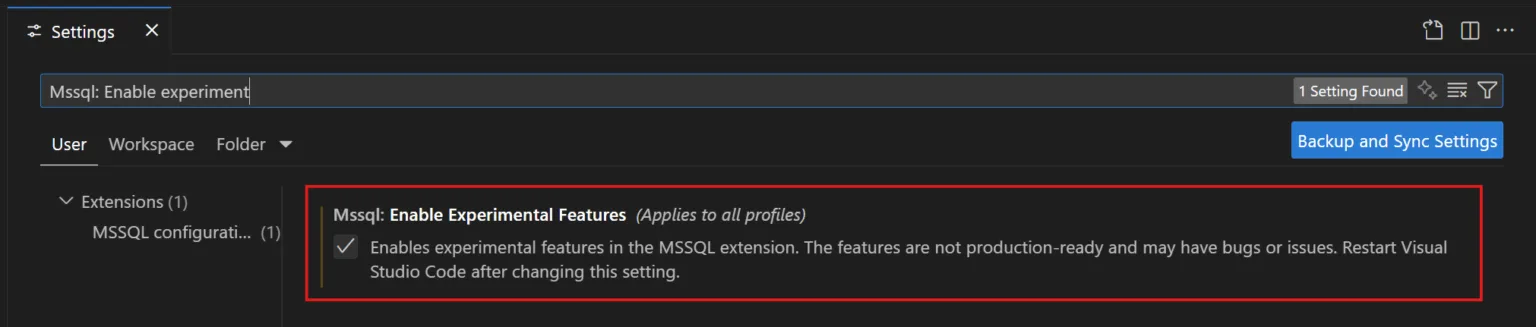
How to Enable Edit Data in VS Code
Getting started is simple. First, make sure you have MSSQL extension version 1.37 or later. Then:
- Open VS Code settings.
- Search for “MSSQL: Enable Experimental Features.”
- Check the box to activate, then reload VS Code if necessary.
With experimental features enabled, right-click on any table in the Object Explorer and select “Edit Data (Preview),” or double-click a table. A new tab opens, presenting your table in an editable data grid.
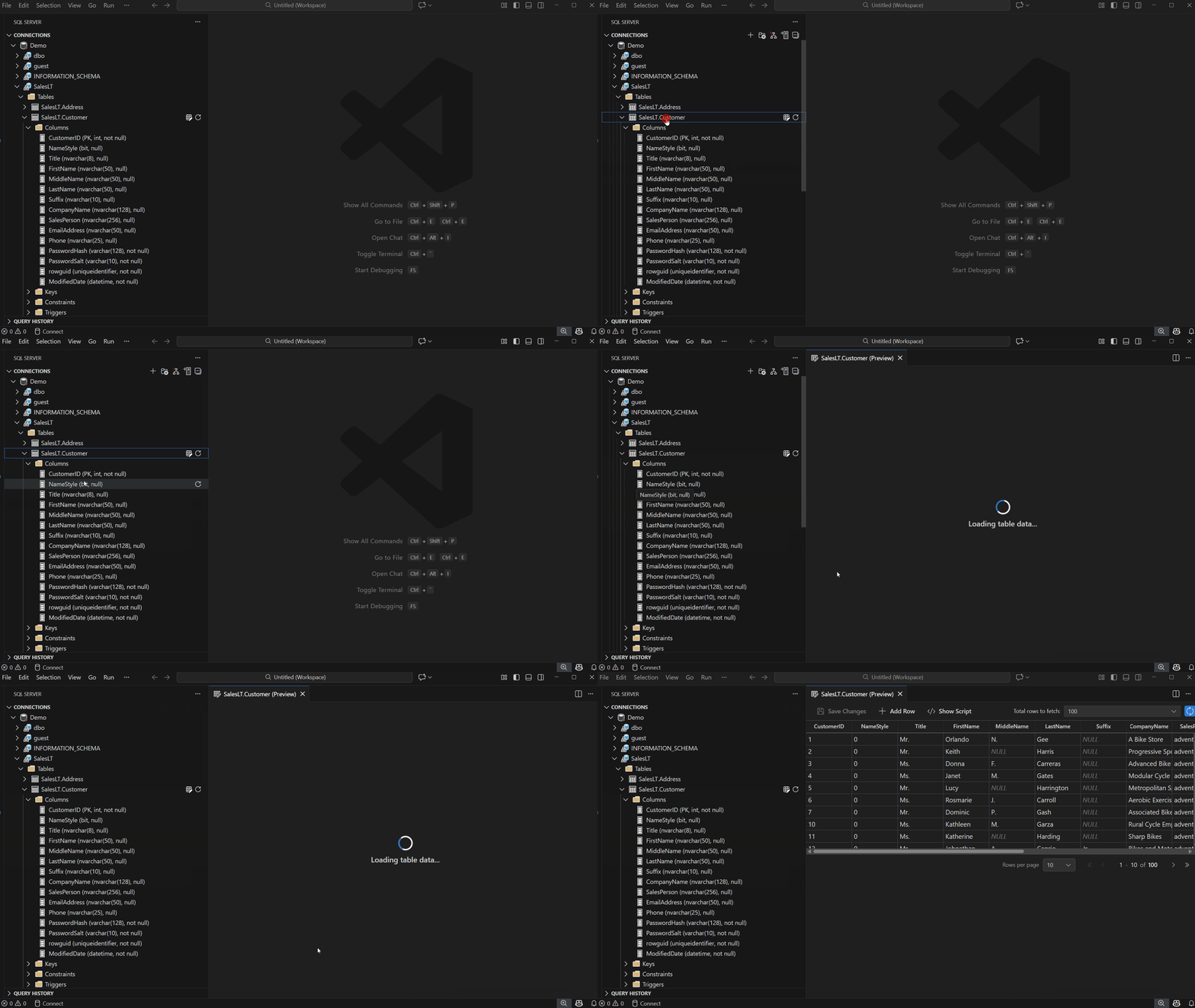
Familiar, Intuitive Editing
The Edit Data grid offers an Excel-like experience tailored for developers. Key features include:
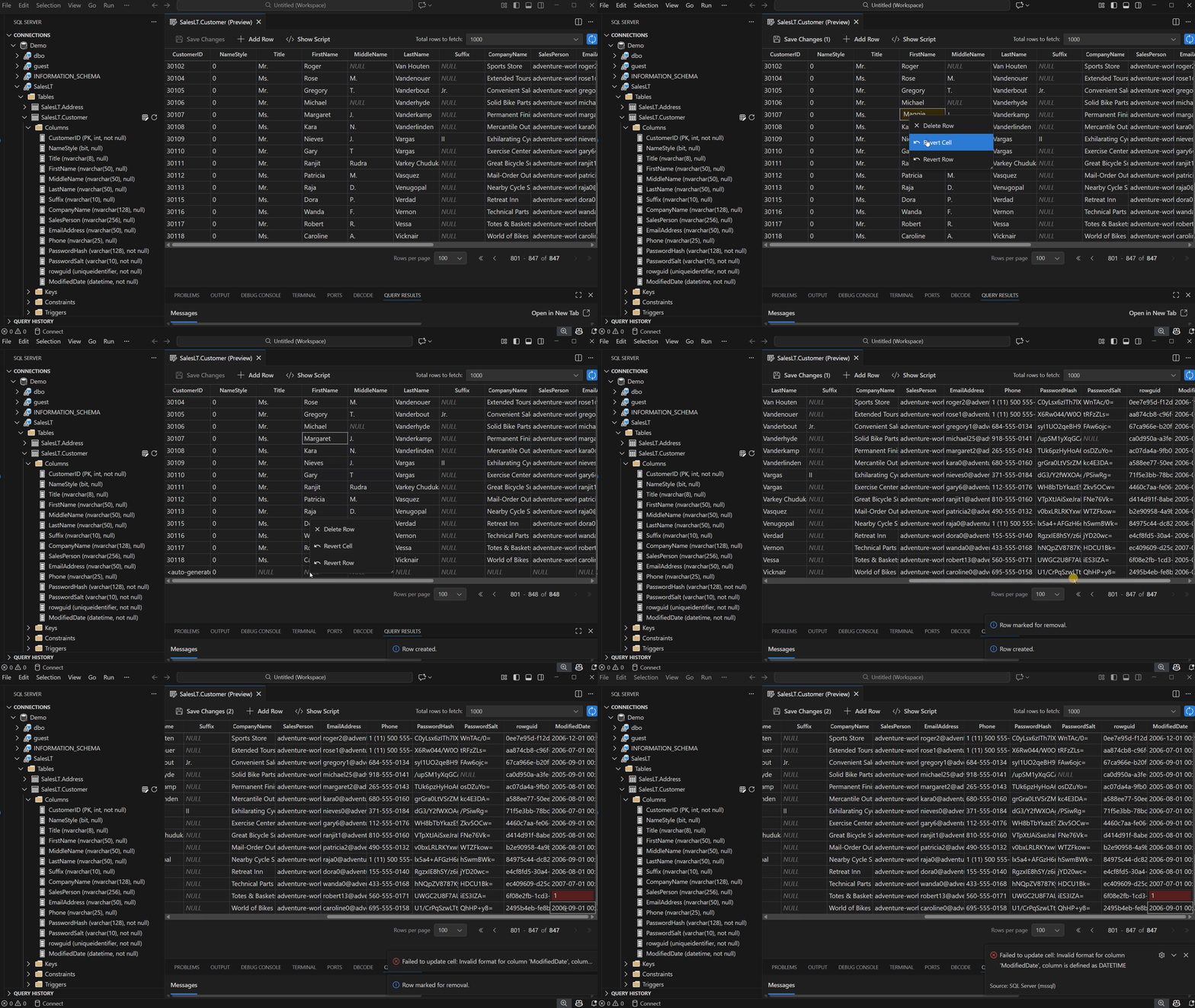
- Inline Editing: Double-click cells to update values instantly.
- Add/Delete Rows: Use toolbar buttons to insert or right-click for removal. Pending
changes are clearly marked.- Revert Changes: Easily undo edits at the row or cell level via right-click.
Errors such as data type mismatches or violating unique constraints are flagged in real time. You receive immediate feedback for any issues, ensuring data integrity before saving.
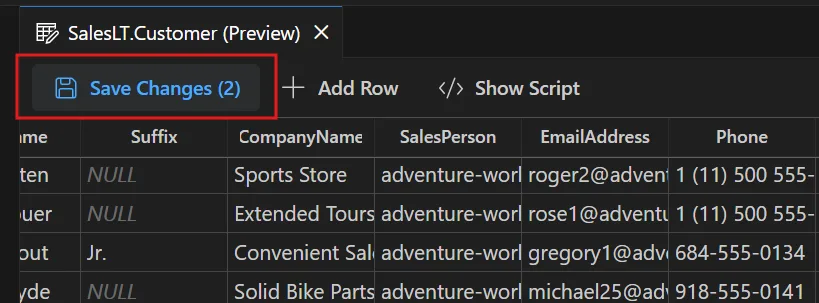
When ready, choose Save Changes to commit your updates.
Transparency with Script Generation
Stay aware of what’s happening under the hood. The Show Script function displays the actual INSERT, UPDATE, and DELETE statements that your changes will generate. This pane updates as you make or revert edits, providing a transparent audit trail. When satisfied, use Save Changes to apply updates to the database, or discard them instantly if needed.
Effortless Large Table Navigation
Managing extensive datasets is straightforward with robust pagination controls. Adjust how many rows are displayed, set your preferred page size, and move between pages to locate and edit records, even across tables with thousands of entries.
Continuous Updates: Shaping the Future Together
As this feature is in public preview, Microsoft is actively seeking feedback. Developers are encouraged to report bugs, request features, and share suggestions via GitHub. Helpful resources like installation guides and demo videos are available to guide new users and foster community engagement.
Why Try Edit Data?
- Edit Data makes SQL Server data updates fast and context-free inside VS Code.
- Features like inline edits, validation, and script previews maximize efficiency and control.
- Pagination ensures smooth handling of large tables.
- Your feedback will directly influence the extension’s future enhancements.
For SQL Server developers using VS Code, Edit Data is a powerful new tool worth exploring and shaping with your insights.
- Install the MSSQL extension for Visual Studio Code if you haven’t already: Learn how
- Watch the demo video on YouTube: Watch now
- Report Bugs: Open an issue
- Submit Feature Requests: Suggest an feature
- Connect and discuss with other developers: Join the discussion
Source: Azure SQL Devs’ Corner , MSSQL Extension for VS Code: Introducing Edit Data (Public Preview)


Seamless SQL Server Data Editing Arrives in VS Code: A Game Changer for Developers