Visual Studio Code’s cloud agents are enabling you to streamline coding, automate reviews, and collaborate more efficiently while keeping your local environment untouched.
What Sets Cloud Agents Apart?
Unlike traditional agents running on your computer, cloud agents execute tasks remotely. This approach not only preserves your local workspace but also brings heightened scalability and security. By integrating directly with GitHub repositories, cloud agents allow teams to work together on code changes and reviews without modifying local files or settings.
- Remote Execution: All processing happens in secure, isolated cloud environments.
- Enhanced Collaboration: Agents interact through branches and pull requests, supporting distributed teamwork.
- Workspace Protection: Cloud agents cannot access local VS Code tools or runtime, focusing solely on defined cloud tasks.
Standout Features of the GitHub Copilot Coding Agent
Visual Studio Code currently features the GitHub Copilot coding agent as its main cloud agent. It excels at managing complex and large-scale coding assignments, from sweeping repository refactoring to full-feature implementations with minimal manual input.
- Automates comprehensive code refactoring
- Implements new features from high-level specs
- Generates pull requests with detailed summaries
- Facilitates integrated code review and team feedback
Managing Sessions and Workflows
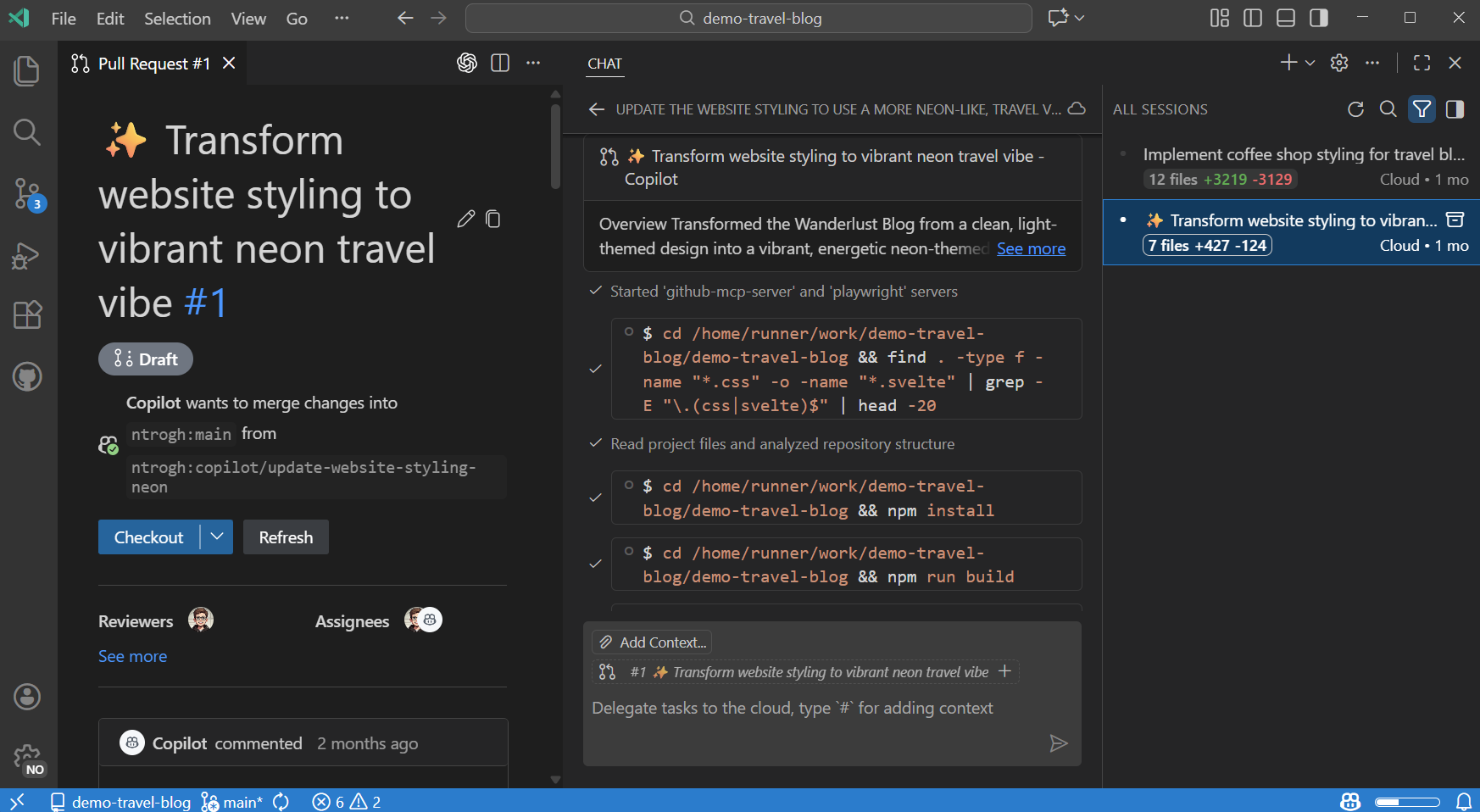
The unified Chat view in VS Code serves as your hub for all cloud agent interactions. You can initiate new sessions, filter to see only cloud agent activity, and monitor progress from a single interface. Sessions appear both in the chat pane and as editor tabs, giving you flexible oversight.
- Centralized Session Control: Start, monitor, and filter cloud agent sessions efficiently.
- Smooth Task Handoffs: Plan with local agents, then delegate execution to cloud agents while retaining chat history and context.
- Web-Based Initiation: Launch cloud agent sessions from GitHub.com as well as within VS Code.
How to Start Using Cloud Agents
Getting started is quick and user-friendly. Open the Chat view to launch a new cloud agent session or simply delegate a specific task with a prompt. For more complex projects, use a local agent to define requirements before passing the job to a cloud agent, ensuring all relevant context is preserved.
- Select New Cloud Agent in the Chat view
- Type
@cloud <task description>to delegate through chat - Use Continue In > Cloud to move ongoing work to the cloud
- Leverage the
/delegatecommand to transfer from background agents
Currently, you cannot specify the language model powering the cloud agent; it operates using its preset configuration.
Why Embrace Cloud Agents?
Cloud agents are designed for organizations and developers who need scalable, secure, and collaborative automation. They take on resource-intensive coding tasks without tying up your local machine or risking workspace conflicts. For teams managing complex codebases or seeking streamlined code review and implementation, cloud agents offer a powerful edge.
Explore More
By leveraging cloud agents in Visual Studio Code, developers and teams can automate complex projects, foster collaboration, and maintain a secure environment,unlocking new possibilities in AI-driven software development.
Source: Visual Studio Code Blog


How Cloud Agents in Visual Studio Code Are Transforming AI-Powered Development